
Every “best color palette tool” list seems to name the same apps: Coolors, Adobe Color, maybe Paletton or Khroma.
Those tools are genuinely good. They’re also answering a different question than the one a lot of designers actually have.
Most roundups assume you need a generator — something that invents a new row of swatches. That’s one job. The other job is messier: you already have colors (a client brand, your own brand, a Pinterest row you almost love), something feels off, and you don’t want to start over.
I’m Sam Remboldt, a graphic designer in Nashville and the founder of The Color Palette Studio. Here’s how I pick tools based on the job, not the vibes.
First: name the job
| Job | What you need | Wrong tool |
|---|---|---|
| No palette yet / chasing a vibe | A generator | A fixer |
| Colors already exist; something’s off | A fixer | A generator that will replace the sacred hex |
| One text + background pair to check | A free contrast checker | Buying anything |
| Building a full brand system from inspiration | A structured builder | Hitting spacebar until something looks cool |
If you mix those up, every tool feels “meh.”
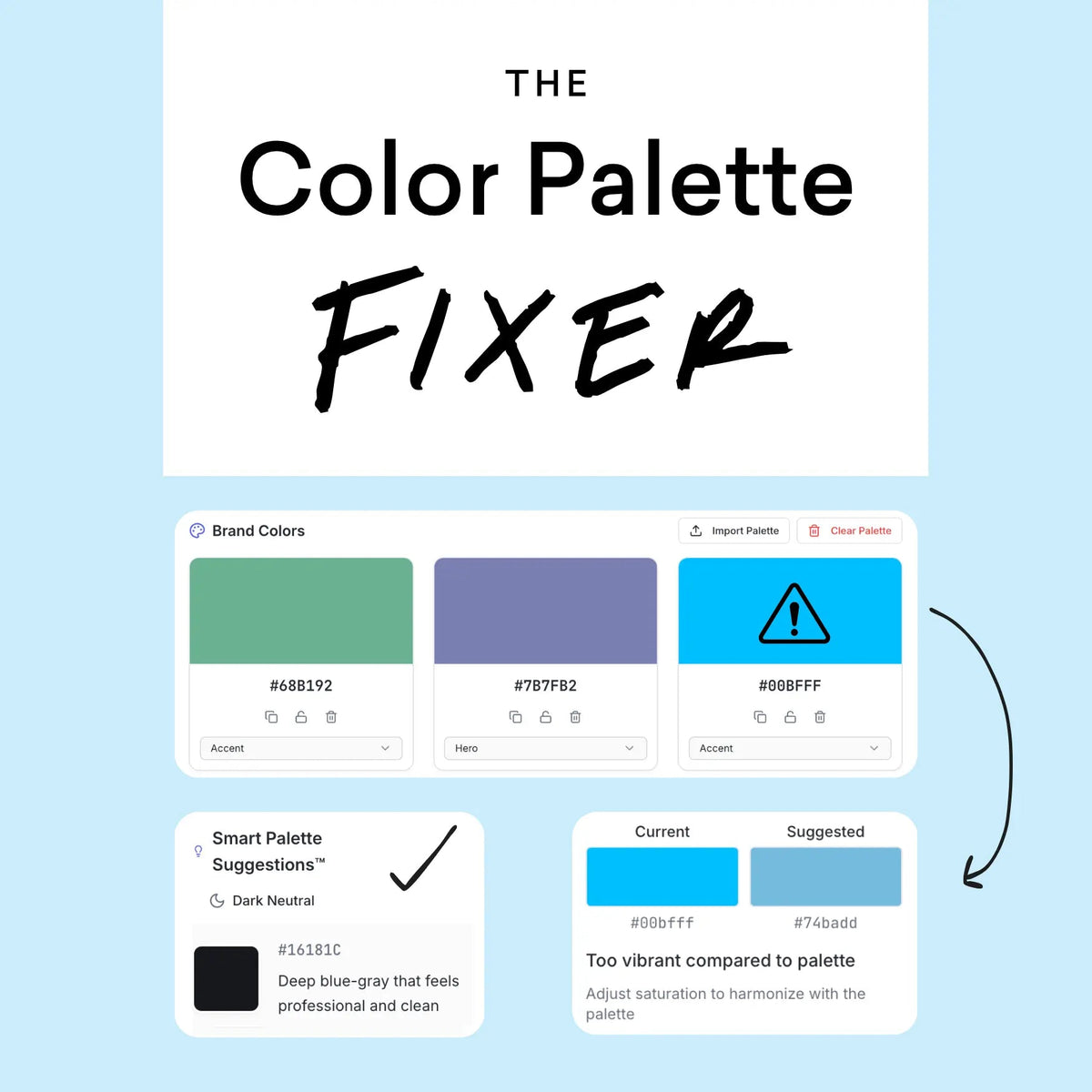
Best color palette tool if you already have colors: Color Palette Fixer
This is the tool I built for the palette you already have.
You drop in the hexes, and it runs a harmony scan, a contrast test, and a balance check. It flags what’s off — too bright, no clear main color, missing neutrals, hard to read — and suggests one-click fixes. You can lock the color you can’t lose, then assign hero, accent, and neutrals so the palette becomes a system instead of a mood board.


- Price: $67 one time (no subscription)
- Who it’s for: Graphic designers, brand designers, and freelancers fixing client or personal brand colors
- Free first step: Free Color Contrast Checker for a single pair at 4.5
Generators will happily overwrite the tote-bag orange. Color Palette Fixer is built so that orange can stay.
Trusted by 4,000+ designers. Chrome recommended. 30-day money-back.
If you want the written method with no purchase required, start here: How to Fix a Color Palette (Balance, Contrast, Roles).
Best color palette tool if you’re building from scratch: Color Palette Builder
If you don’t have a palette yet — just a mood board, a photo, a handful of colors, or a design style — you want a builder, not only a random generator.
Color Palette Builder turns inspiration into a structured brand palette with light neutrals, bold colors, and dark neutrals. It includes built-in accessibility testing, and you can export with HEX values and approved pairings.
- Price: $97 one time
- Who it’s for: Designers and brand folks who need a client-ready system, not five pretty squares
- Trust line on this page: Trusted by 3,000+ designers
Builder invents a usable system. Fixer repairs the one you already shipped (or almost shipped).
Best free check before you buy anything
You don’t need to buy a tool just to learn if one pair is readable.
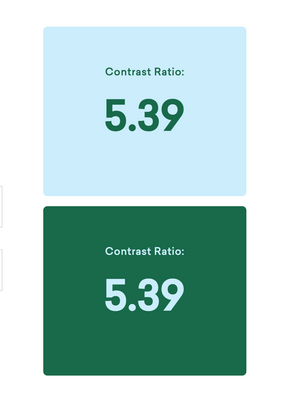
Use the Free Color Contrast Checker: paste a text color and a background color, and aim for 4.5:1 for normal body text (WCAG AA). Large text can sit at 3:1; AAA body text is 7:1.
It’s a fast pair test — not a full palette fixer, and not a generator like Coolors.
If the pair fails, darken the text, lighten the ground, or add tinted light and dark neutrals (think oat-milk and chocolate versions of a color you already love, not random grey). You don’t need to throw out the whole palette.
The generators “best tool” lists already cover
These belong on every honest roundup. I use some of them too.
Coolors
Coolors is built for speed when you’re starting from nothing: lock the swatches you like, hit spacebar, and keep rolling until the mood feels right. There’s a free version and a Pro plan, plus a contrast checker. It’s excellent for mood-board energy. It isn’t built to diagnose a locked brand palette without replacing the color you can’t lose.
Adobe Color
Adobe Color gives you the classic color wheel, harmony formulas, extract-from-image, and accessibility tools. It’s a natural pick if Photoshop or Illustrator is already open. Same job family as Coolors: build and explore.
Paletton / Khroma / Canva
Paletton is handy for learning color relationships. Khroma leans into AI taste-matching. Canva is fine for quick social work. They’re all still generator-shaped — great for exploration, weaker when the brief is “keep this hex.”
For a deeper head-to-head on the generator vs fixer split, read Color Palette Fixer vs Coolors (and Adobe Color).
How I’d choose in 30 seconds
- Only need to know if type is readable? Use the free contrast checker.
- Colors already chosen? Color Palette Fixer (or the how-to post by hand).
- Building a brand palette from inspiration? Color Palette Builder.
- Just hunting a vibe? Coolors or Adobe Color — then finish in Fixer or Builder so it works on a real website.
Pretty swatches are easy. A palette that survives a website, an Instagram post, and a logo is the actual product.
FAQ
What is the best color palette tool for graphic designers?
It depends on the job. For a palette you already have, Color Palette Fixer. For building from inspiration, Color Palette Builder. For a free pair check, the Color Contrast Checker. For inventing a new vibe, Coolors or Adobe Color.
Is Coolors the best color palette tool?
Coolors is one of the best generators. It is not the best tool for repairing an existing brand palette without replacing the color you can’t lose.
What’s the difference between a color palette generator and a fixer?
A generator invents a new palette. A fixer diagnoses the one you already have and suggests repairs that can keep a locked signature color.
Is there a free Color Palette Fixer?
No. Fixer is $67 one time. The free Color Contrast Checker tells you if one text + background pair hits 4.5. It does not repair the whole palette.
Do I need color theory to use these tools?
No. Line the colors up and look for balance, test the pairs you’ll put type on, add tinted neutrals if you’re stuck in midtones, then assign roles. The tools just speed that up.
Coolors is a trademark of Coolors s.r.l. Adobe, Adobe Color, Adobe Photoshop, and Adobe Illustrator are trademarks of Adobe. Paletton, Khroma, and Canva are trademarks of their respective owners. This is an independent comparison. The Color Palette Studio is not affiliated with, endorsed by, or sponsored by Coolors, Adobe, Paletton, Khroma, or Canva. Prices and features were checked against public pages on September 21, 2026, and can change.
GET THE BEST-SELLING TOOL

FREEBIES
Free Color Contrast Checker
Test your brand colors for website accessibility in 10 seconds 🎨